
Mira Connect is Designed with Integrators in Mind
AV integration partners get a control solution that can be configured locally and remotely. We've made it easy so more people on your team can set it up.
Reduces programming time and effort
Because we've already done a lot of programming for you. Mira Connect packs a lot of functionality that can be easily used.
Controls products from many leading manufacturers
Control is what we do, and Mira Connect can work with any product that can be controlled. We're continually adding new products to the list. SEE THE LIST OF SUPPORTED PRODUCTS
Save truck rolls
Manage your Mira Connects from anywhere using Mira Portal, our cloud-based management platform.
Puts you back in control
Control costs, schedules, and deliverables because now you don't have to outsource to external resources that might not be accessible when you need them.
How Mira Connect works
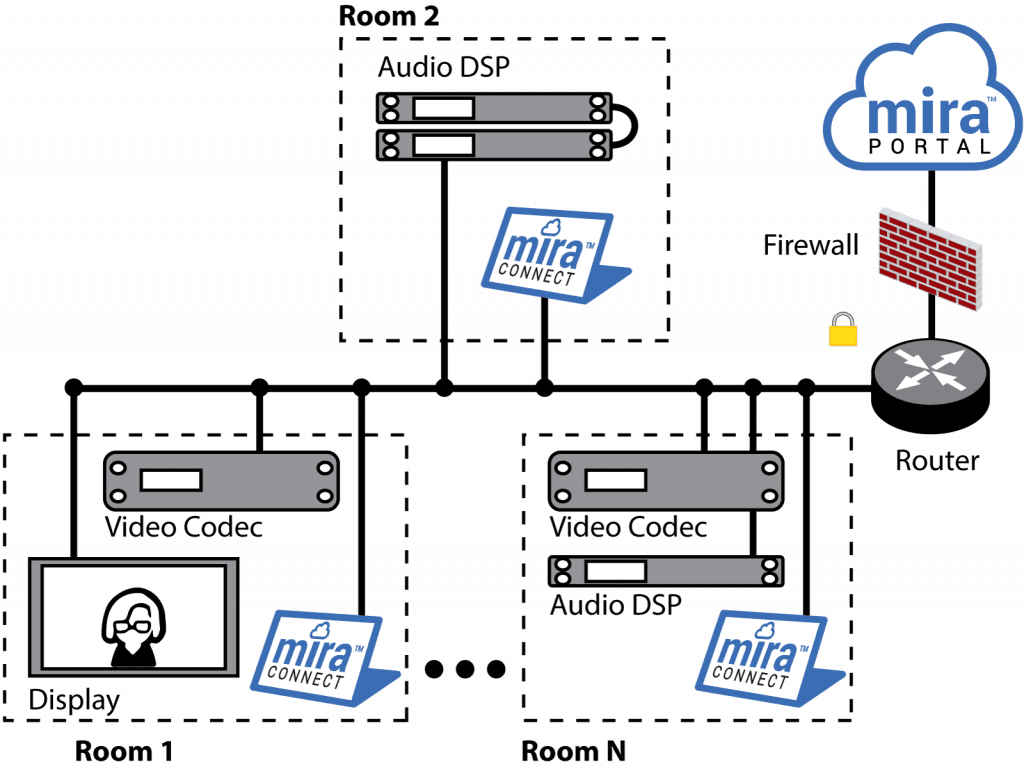
Mira Connect controls the AV equipment in a room over the local network. Easily configure and manage your Mira Connect systems through Mira Portal™, our secure, cloud-based management platform. Mira Connect touch panels communicate with Mira Portal for initial configuration and then can operate with or without access to Mira Portal. A connection to Mira Portal is required for making changes, remote management, firmware updates, and remote control capabilities (including Mira Connect Me control on a personal device).
Key Features for Integrators:
Configure locally or remotely
BE THE WIZARD
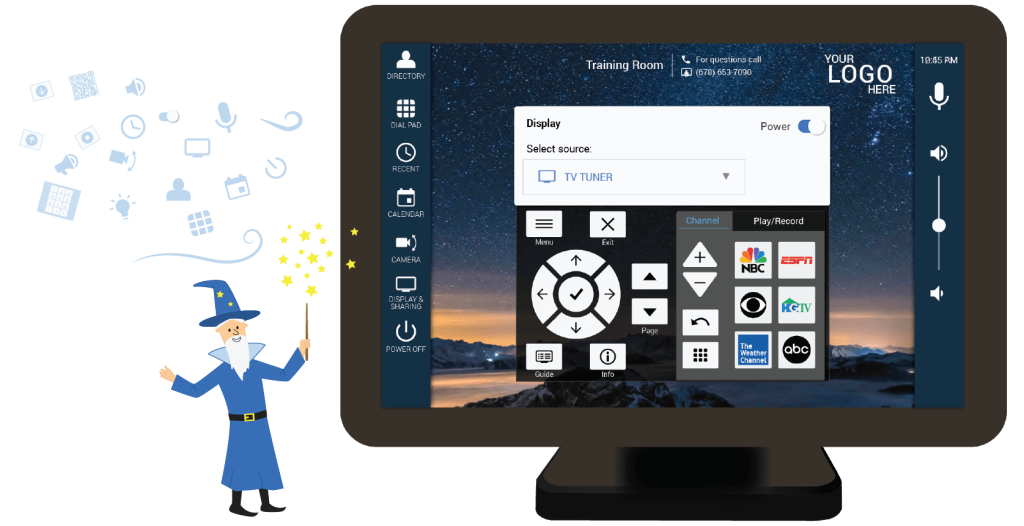
Builds the user interface automatically from your selections
In Mira Portal, select the equipment you want to control, configure control points, connect video switchers to displays, add screen motion control, label video inputs, import directories, assign a calendar to the room…
And the user interface is created automagically!
Remote Management
UI PREVIEW
Experience Mira Connect —before you buy any equipment
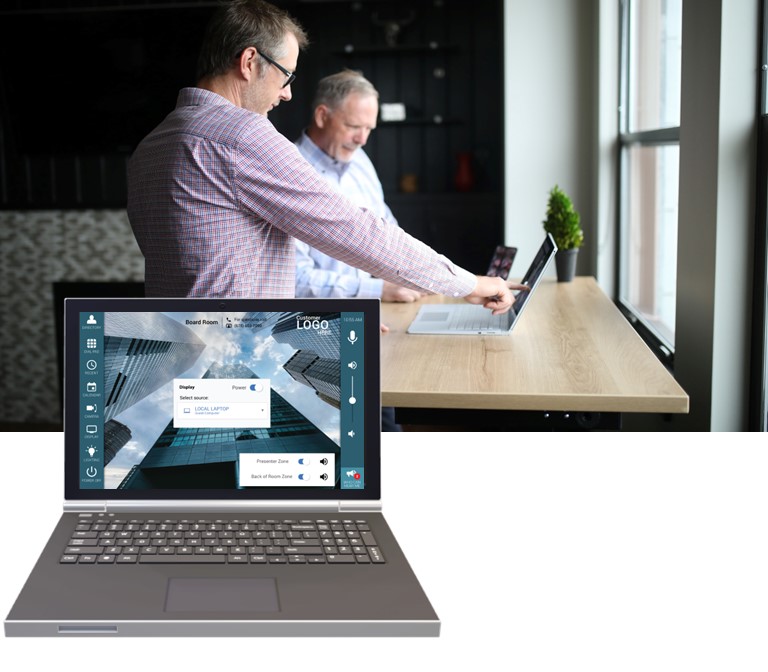
Mira Connect lets your prospective clients experience exactly how their control system will look and how it will operate — before any equipment is purchased.
Create a room with the proposed equipment that you want to control and click the ‘Preview Mira Connect in Browser’ link.
The Mira Connect user interface appears in your browser. IT’S FREE!
Customize the visual theme with a background image & customer logo to create a “Wow!” experience before you’ve bought anything.
FINISHING TOUCHES
Add your customer's branding
Personalize the Mira Connect user interface with:
- a custom background image
- side bar colors
- and your customer’s company logo

Supports products from many manufacturers
NEW WAYS TO DELIVER AV CONTROL
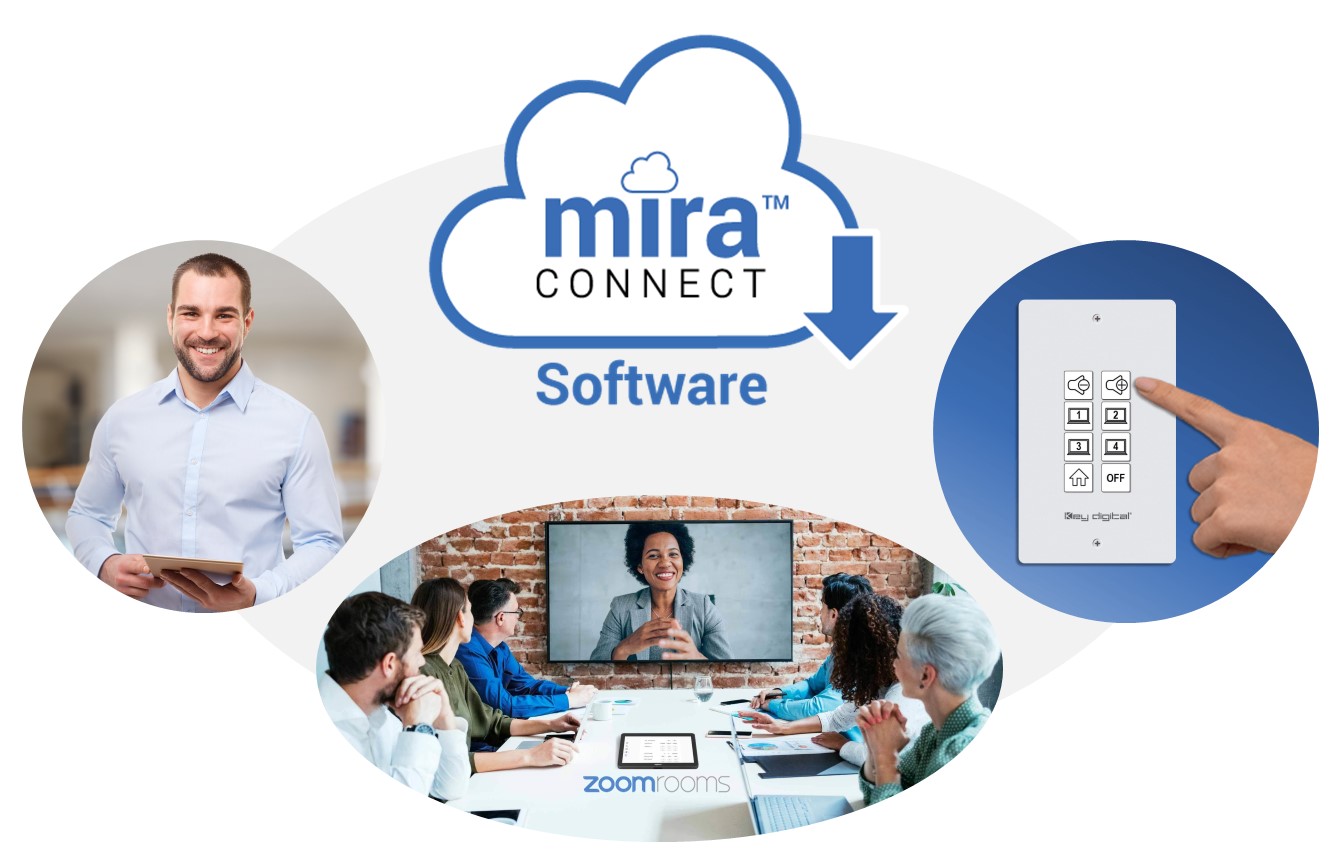
Mira Connect available as software
Offers all the same control functionality as Mira Connect touch panels — including Mira Portal remote management features — while running on a Windows PC in the room.
With proper permissions, the user interface is accessible from any web browser.
Mira Connect software has an application programming interface (API) that extends its room control capabilities to other devices and applications, providing endless opportunities for creating custom user interfaces for Mira Connect.
Leverage Mira Connect control in
- low-cost, multi-button keypads;
- any Zoom Rooms system;
- and other custom applications.
Mira Connect software is free to download on a Windows 10-or-newer computer and can be configured using simulated AV equipment, making it easy to evaluate for any application.
When ready to control real equipment, a Room License may be purchased through Mira Portal as a monthly or yearly subscription or as a prepaid license for a number of years.
Expands Mira Connect’s easy-to-set-up, easy-to-use approach for controlling AV equipment in even more applications.
Users get a professionally designed AV control system and user interface, along with remote management and configuration capabilities for a fraction of the cost and complexity of traditional AV control systems.
What integrators have to say
Your responsiveness is greatly appreciated, and your ability to create drivers is unprecedented.
Michael Young, General Manager - Audio Video Specialists, LLC
Mira Connect was really the linchpin to our successfully getting this project! As I type this message, I just received the PO from the customer!
Brandon Bailey, East Regional Pro AV Manager - Sharp Business Systems

1.
Follow the Mira Portal tutorial or manually add an organization, site, and room.
2.
‘Pair’ a Mira Connect touch panel or Mira Connect software to the room in Mira Portal.
3.
Select the equipment to be controlled in the room, along with control points.
and your Mira Connect user interface is automatically created!
Contact Aveo Systems to discuss how Mira Connect can help you with your next AV control project and how to become an authorized partner.
Aveo's Remote Configuration Service
Want one of our experts to configure your Mira Connect remotely for you and walk you through each step?