Mira Connect’s universal video switcher driver helps you keep legacy Crestron or AMX video switchers when upgrading your AV control system to Mira Connect.
The Problem
At some point, the audio-visual (AV) equipment in a space may need to be replaced. Maybe not all of it at once, as some products have a greater lifespan than others, but eventually a system upgrade will be required. A room’s AV equipment typically includes displays, cameras, projectors and screens, a video switcher, a control system, and more. Video switchers are often the core of these systems as they connect multiple video inputs (such as from different TV tuners, Blu-ray players, inputs from laptops and computers, or any other video sources) and send those inputs to different outputs (such as displays, projectors, recorders/streamers, and others).
When it’s time to upgrade an existing system to add new features, simplify the user interface, replace well-used touchscreens, or support new equipment, the first question is often whether any of the existing technology can be reused in the new system.
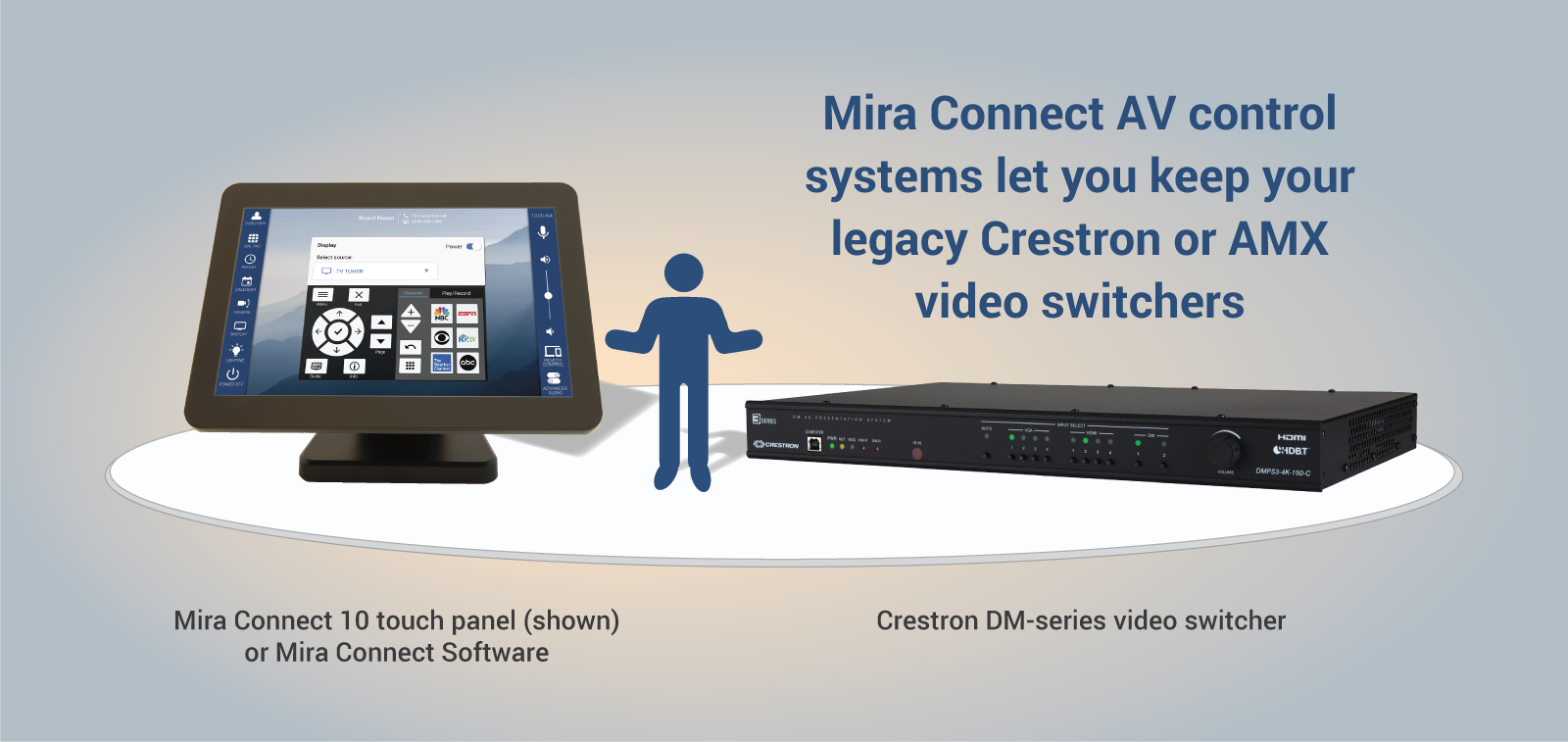
Since video switchers are commonly used in AV systems and have traditionally been expensive, they are often the devices that users would like to keep, if possible. However, some video switchers, such as the Crestron® DM-series products, don’t have an open application programming interface (API), making it impossible for other manufacturers’ control systems to directly communicate with them.
How do you upgrade to a new control system and still keep the legacy video switchers that weren’t designed to work with other control systems?
The Solution
Aveo Systems’ Mira Connect™ AV control system solves this issue with its universal video switcher driver for controlling video switchers that don’t have an open API.
The Aveo Systems Universal API video switcher driver built into the Mira Connect control solution allows customers to upgrade their audio-visual systems and keep legacy video switchers that otherwise would need to be replaced. The universal API driver helps customers reduce the cost of a new system, allowing more rooms to be updated for a given budget, while also reducing e-waste.

How It Works
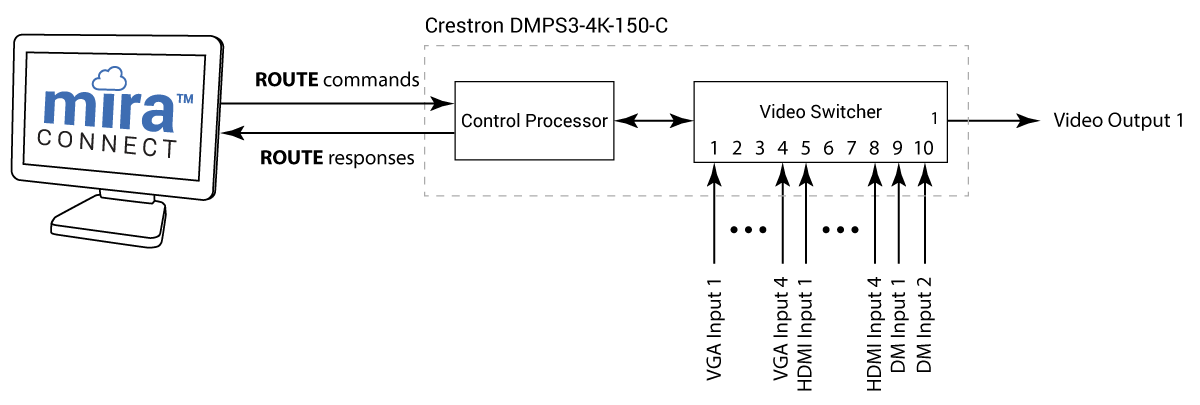
Mira Connect’s universal video switcher driver connects over a network to the control processor and uses two commands to control video switching:
ROUTEto route a video input to a video output, andROUTE?to query which input is routed to the specified output.
A lightweight, partner-supplied control system application runs on an embedded control processor in the video switcher, such as on the built-in Crestron 3-series controller in the DMPS3-4K-150-C media processor, or it runs in a separate control processor, such as an existing Crestron Pro2/RMC3/RMC4, AMX, or other control system.
Because Crestron video switchers have been widely used, we created an example Crestron SIMPL application for controlling video switching on a Crestron DMPS3-4K-150-C. This example application uses the DMPS3-4K-150-C’s built-in processor to listen for ROUTE commands. Once a command is received, the program performs the video switching natively and then sends the routing status back to Mira Connect.
Mira Connect’s universal driver can integrate with any video switcher and control system that can listen for, and respond to, Mira Connect’s universal video switching commands over a network connection. For legacy video switchers that don’t have a built-in control processor, you can reprogram the existing control system processor in the system that is being upgraded to Mira Connect. Our example program is a good place to start for Crestron legacy video switchers.
For more information on Mira Connect’s universal video switcher commands, along with steps to debug and troubleshoot your application, see our Universal API integration guide.
As an example of the ROUTE command, ROUTE 5 1 will route input 5 (the first HDMI input on the DMPS3-4K-150-C) to output 1, which causes the front panel of the video switcher to show the currently selected video input.

A more detailed block diagram of this application is shown in the following figure.
Once Mira Connect is controlling the legacy video switcher, Mira Connect automatically builds its user interface based on the video inputs that are enabled on the system and on the rest of the equipment in the room, such as TV tuners, displays, DSP audio systems, and more. See our training videos for how to build a system with Mira Connect.

Mira Connect AV control systems are available as either an all-in-one touch panel and control system or as a software-only version that may be downloaded onto a PC.
Add Simple, Third-Party, Push-Button User Interfaces
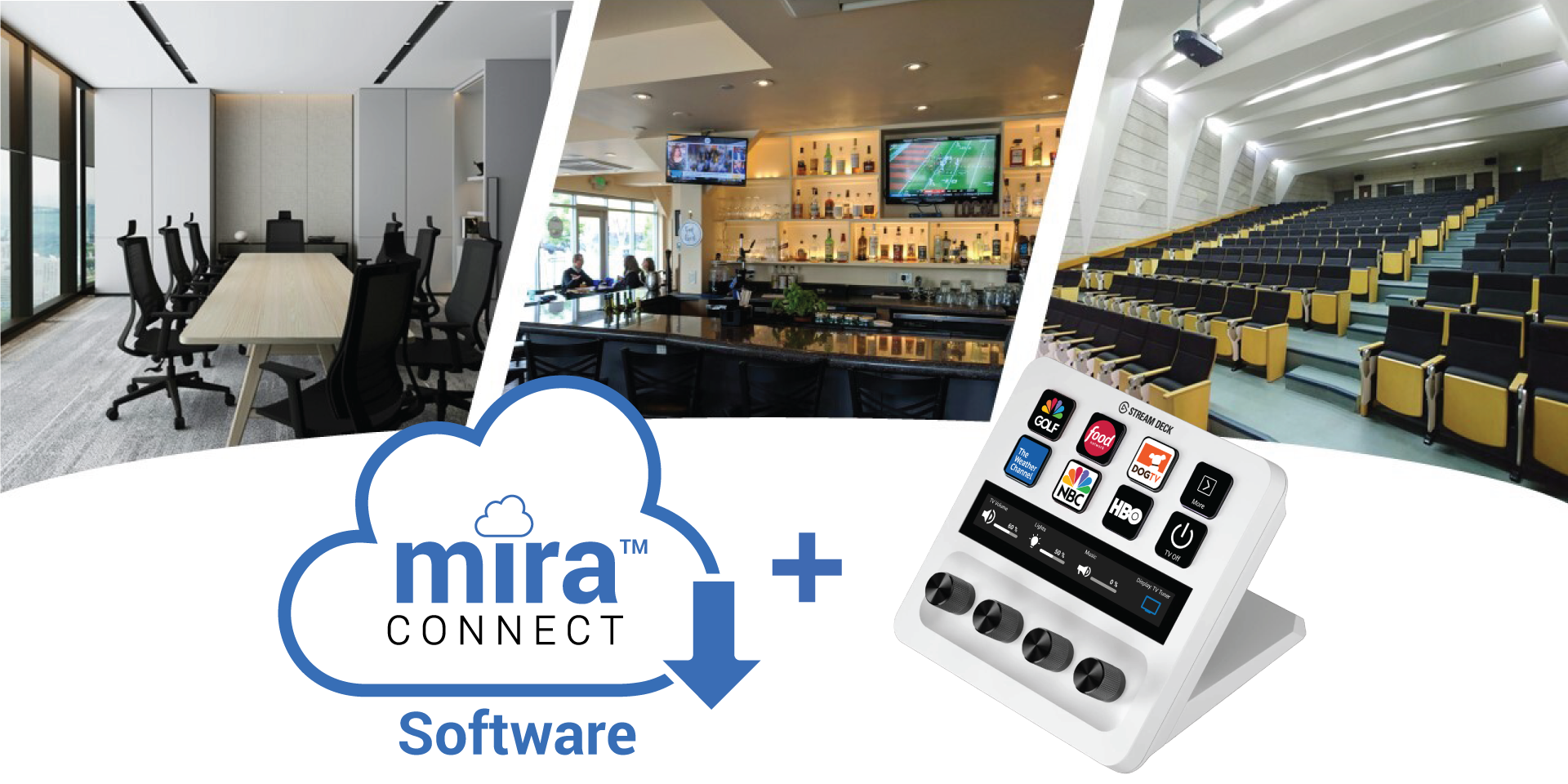
Mira Connect Software can be combined with Elgato’s Stream Deck and other programmable keypads to deliver cost-effective and intuitive user interfaces for video switching and other AV control applications.
Stream Deck controllers are available with various numbers of customizable keys, each with a small built-in graphical display, that are easy to see and use. Some models offer customizable dials that can be used for volume control or source selections. When combined with Mira Connect AV Control Software, a Stream Deck can be set up to control anything that Mira Connect can control, including displays, video switchers, volume, audio mutes, camera presets, lighting and shades, and more.
About Mira Connect
Mira Connect controls a variety of products from many manufacturers, making it easy to upgrade equipment.
Mira Connect doesn’t require any programming, making it the easiest AV control system to configure and manage. Mira Connect users also benefit from a professional and clean user interface, the ability to customize their control system, remote access to the system by AV/IT staff, Mira Connect Me local access to the user interface on a personal device, a management dashboard for their rooms, and more.
Getting Started
Get started with Mira Connect by creating a Mira Portal account today. Build a system entirely in your browser using simulated equipment and experience the user interface that is created — all before purchasing any equipment. Or connect to real equipment and control it from your Mira Connect AV control system.
To learn more about Mira Connect and Aveo Systems, visit AveoSystems.com.