Aveo Systems and MAXHUB Provide AV Control and Microsoft Teams solution
Aveo Systems and MAXHUB have partnered to offer a compelling solution that combines AV control and Microsoft Teams videoconferencing — all from MAXHUB’s touch panel.
MAXHUB’s XCore Kit and XCore Kit Pro , Xbar W70 Kits, and XBoard series are certified Microsoft Teams Rooms solutions for conferencing and collaboration in any size room. With Aveo Systems’ software version of their Mira Connect™ control system, it’s now easy to control thousands of AV devices directly from a MAXHUB Microsoft Teams Rooms touch panel.
Adding Mira Connect Software control to a Windows-based MAXHUB Kit requires no additional hardware, is easy to set up, and offers valuable remote management capabilities.

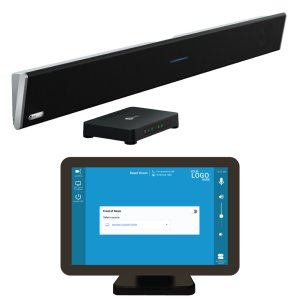
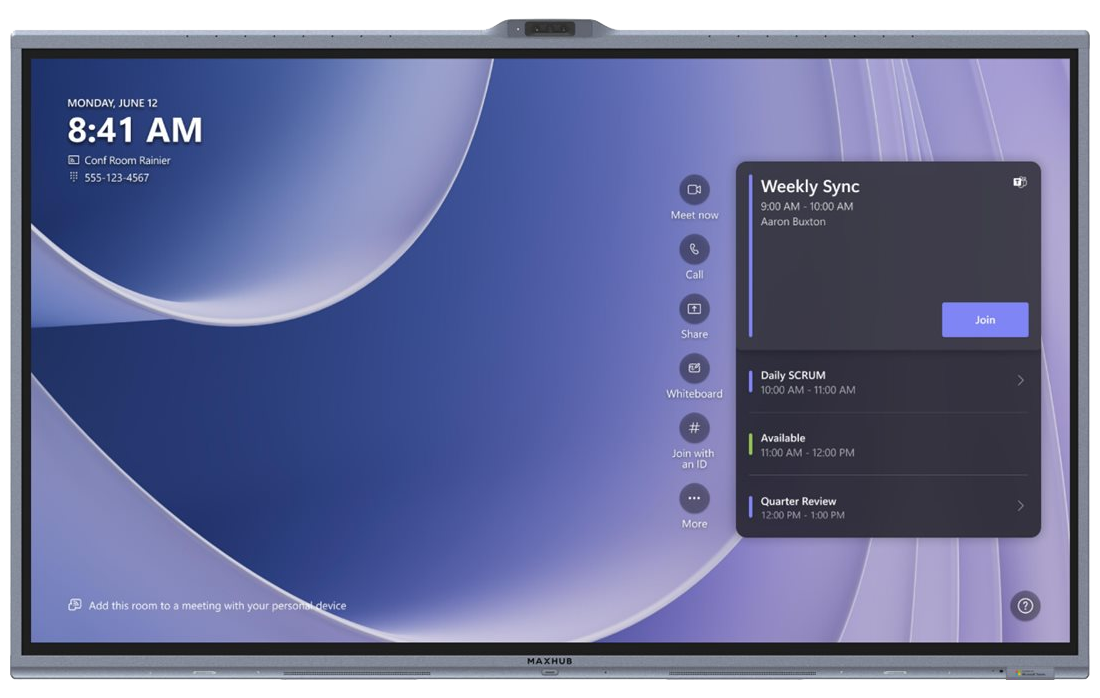
MAXHUB XCore kits include a Windows-based XCore processor, a high-resolution touch panel, and optionally, a camera and other collaboration accessories.

The MAXHUB XBar W70 kit is a Windows-based Teams Rooms solution.

The MAXHUB Board kits are all-in-one interactive displays with built-in Microsoft Teams Rooms conferencing capabilities.
Mira Connect Software is a Windows-based application that is an AV control system for controlling thousands of AV devices, including displays, video switchers, TV tuners, projectors, and more.
With no programming to configure and an ever-growing set of supported equipment, Mira Connect software is the easiest way to add AV control to MAXHUB’s Windows-based Microsoft Teams Rooms solutions.
Mira Connect Software is a free download and includes real-time emulators for all supported equipment to quickly build interactive control even before you have all the equipment. Controlling real equipment requires a low-cost software license available from our distributors and Mira Connect’s management portal.
Mira Connect includes step-by-step integration guides for all supported equipment, making it easy to add equipment to the room and have the user interface be created automatically.
Try it for free with simulated equipment or get a low-cost software license for a few months to experience room control for yourself!
Better Together
Mira Connect Software can be installed directly on the MAXHUB’s Windows-based processors. Mira Connect’s user interface appears directly on the MAXHUB touch panel using Mira Connect Software’s remote control feature.
Once Mira Connect has been configured to control the desired equipment over the network (our integration guides make that easy), a link to the Mira Connect user interface for a browser is added to the MAXHUB Align application.
Users can simply press the Room Controls button to access an intuitive user interface for controlling the rest of the room, including video switching, camera control, lighting and shades, TV tuner control, audio settings, and more.
Benefits to adding Mira Connect Software to MAXHUB kits for integrators and end-customers include:
- Simplifies using the room’s AV equipment — Users can easily switch video sources, adjust audio settings, change lighting levels, and more from the MAXHUB touch panel.
- Reduces the cost of adding a control system — No additional hardware for a ‘control processor’ or second touchscreen is required. It is all controlled directly from the MAXHUB touch panel using the MAXHUB as the control processor.
- Easy to make changes and manage remotely — Mira Connect’s portal management dashboard allows remote monitoring of equipment status and makes it easy to make changes to the system.
- Increased visibility into the system — Real-time text and email notifications about equipment and room status make it easy to know about equipment issues before they become critical.
Aveo Systems Mira Connect Software extends the MAXHUB Microsoft Teams Room system into a full AV control system that can be managed from anywhere.

To learn more about how to add Mira Connect Software to MAXHUB products, download Mira Connect Software from https://aveosystems.com and follow our MAXHUB step-by-step integration guide.
About Aveo Systems and Mira Connect
Aveo Systems is a leading designer of intuitive and easy-to-use control solutions for audio-visual products from many different manufacturers, improving how systems are used and managed by customers worldwide.
Our Mira Connect products are high-performance and cost-effective solutions for controlling audio-visual systems in many applications, including education, enterprise, retail, hospitality, government, and more.

Mira Connect is available as a tabletop or wall-mount touchscreen appliance or as a software application for Windows® computers.

You can download Mira Connect Software today at no cost from our website, create a free, no-obligation Mira Portal account, and prototype a control system entirely using our built-in equipment emulators. For controlling real equipment, software licenses are available from one month to one or more years.
To talk to one of our specialists, please contact us at https://aveosystems.com/contact-us/.