
Using the Mira Connect Room Control API
07/10/2024 - (49 min) Learn what the Mira Connect Room Control API is, how it can be used to control a room with Mira Connect
software, and the new types of applications and user interfaces that it enables. We'll cover how you can
discover the rooms capabilities including number of displays, source names, and more. We'll show how you
can test and experiment with API commands with a telnet connection. Finally, we'll show how you can
configure a programmable keypad to control the equipment in the room through Mira Connect software.
USE PASSCODE = #8+K59XQ

Elevating Zoom Rooms with Mira Connect Software
06/26/2024 - (44 min) Learn how to use Mira Connect software and Mira Portal to automatically generate Zoom Rooms Native Control
JSON files for controlling AV equipment directly from any Zoom Rooms controller. We'll show how to add
equipment to a room in Mira Portal along with the steps to generate the Zoom Rooms JSON file. We'll show
how to add the JSON file into Zoom's portal and have the room controls appear on any Zoom Rooms controller.
Finally, we'll include troubleshooting tips and show how you can use the Mira Connect UI in a browser to
confirm operation or provide another user interface for controlling the AV equipment either in the room or
from anywhere.
USE PASSCODE = NhcAJ3=@

Introduction to Mira Connect Software
06/20/2024 - (38 min) Learn what Mira Connect AV control software is, how to install and configure it on any Windows 10 or newer PC,
and new applications it enables. We'll introduce Room Licenses, how they can be acquired, and how to manage
them. We'll highlight Mira Connect software unique features of automatically generating Zoom Rooms JSON for
adding room control to any Zoom Rooms system and the Mira Connect Room Control API for easily integrating
AV control into other applications. Finally we'll show how to add Mira Connect room control to specific
Microsoft Teams solutions.
USE PASSCODE = 973e1H%#
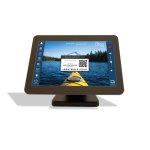
Introduction to Mira Connect
02/21/2021 - This recorded webinar session provides an overview of the Mira Connect AV control system, control setup, and key features. This webinar is designed for AV integrators and consultants who are not yet experienced with Mira Connect.
USE PASSCODE = ^J3w=#C8
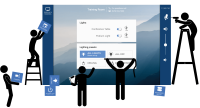
Getting Started: Building Your First Mira Connect System
11/16/2020 - Experience building Mira Connect control (without programming) with this guided tour. Learn to create rooms, add equipment control, use remote management features, customize the visual theme, and more.
USE PASSCODE = Zq$0vH$K

Beyond the Basics: Using Mira Connect's Advanced Features
11/23/2020 - In this session, we'll extend the Mira Connect system built in the Getting Started session with advanced control features, including Zoom Room setup, advanced DSP control, calendar and directory setup for one-touch dialing, creating PTZ camera and lighting control presets, and more.
USE PASSCODE = uz!%b=2w

Onsite Success: Commissioning Best Practices
12/7//2020 - In this recorded webinar session you will learn specific advice for avoiding common pitfalls and learn best practices for commissioning Mira Connect. Network considerations, connecting with equipment, using remote management, and other topics are covered.
USE PASSCODE = BX^9x7fa